1
Identify
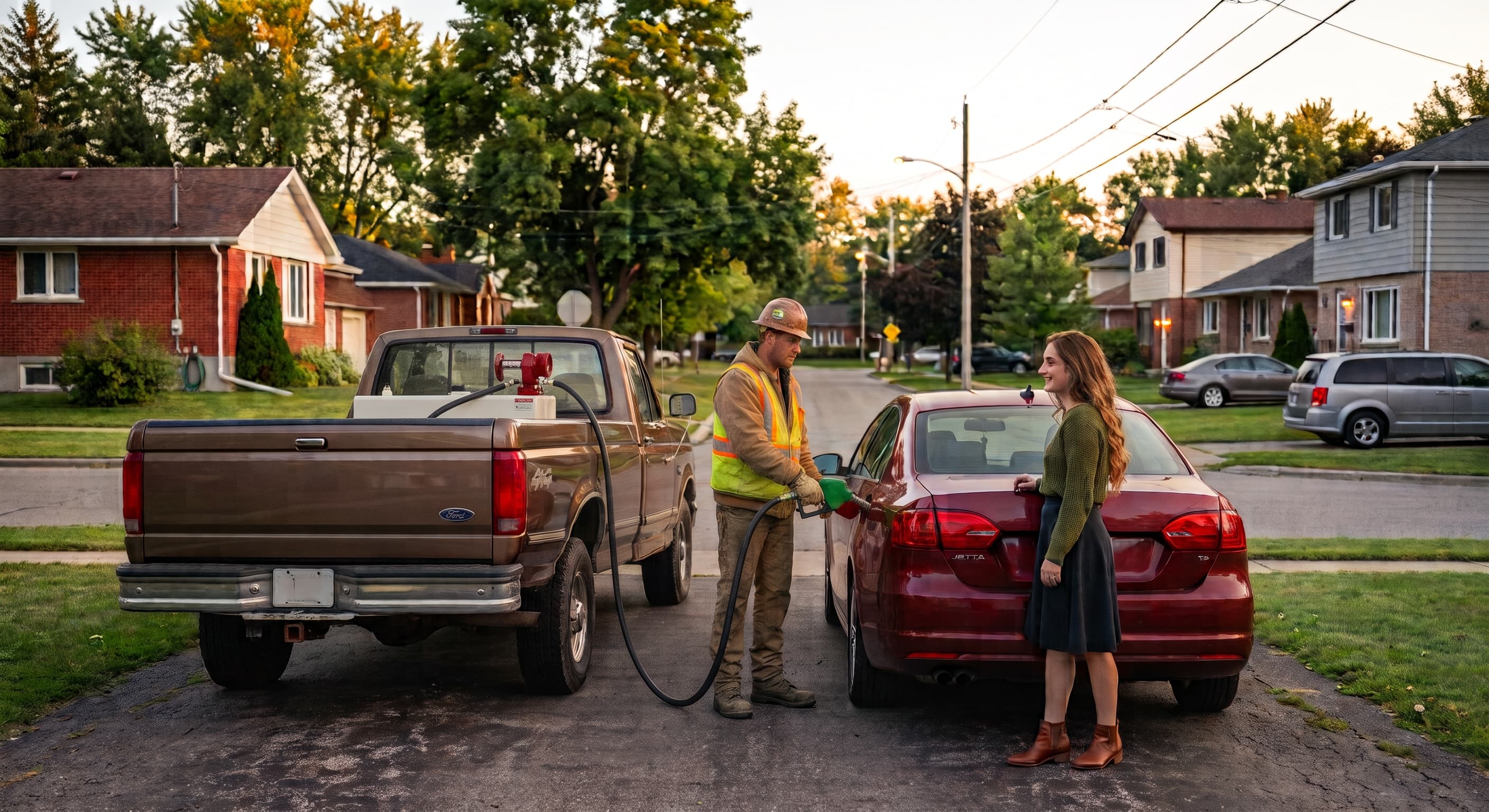
The operator signs in and selects the FuelLock and truck or equipment involved.
FUELWHERE GEOFENCE TECHNOLOGY
FuelWhere connects authorized operators, fleet equipment, and approved fueling locations to create a clear record of every fuel-access event.
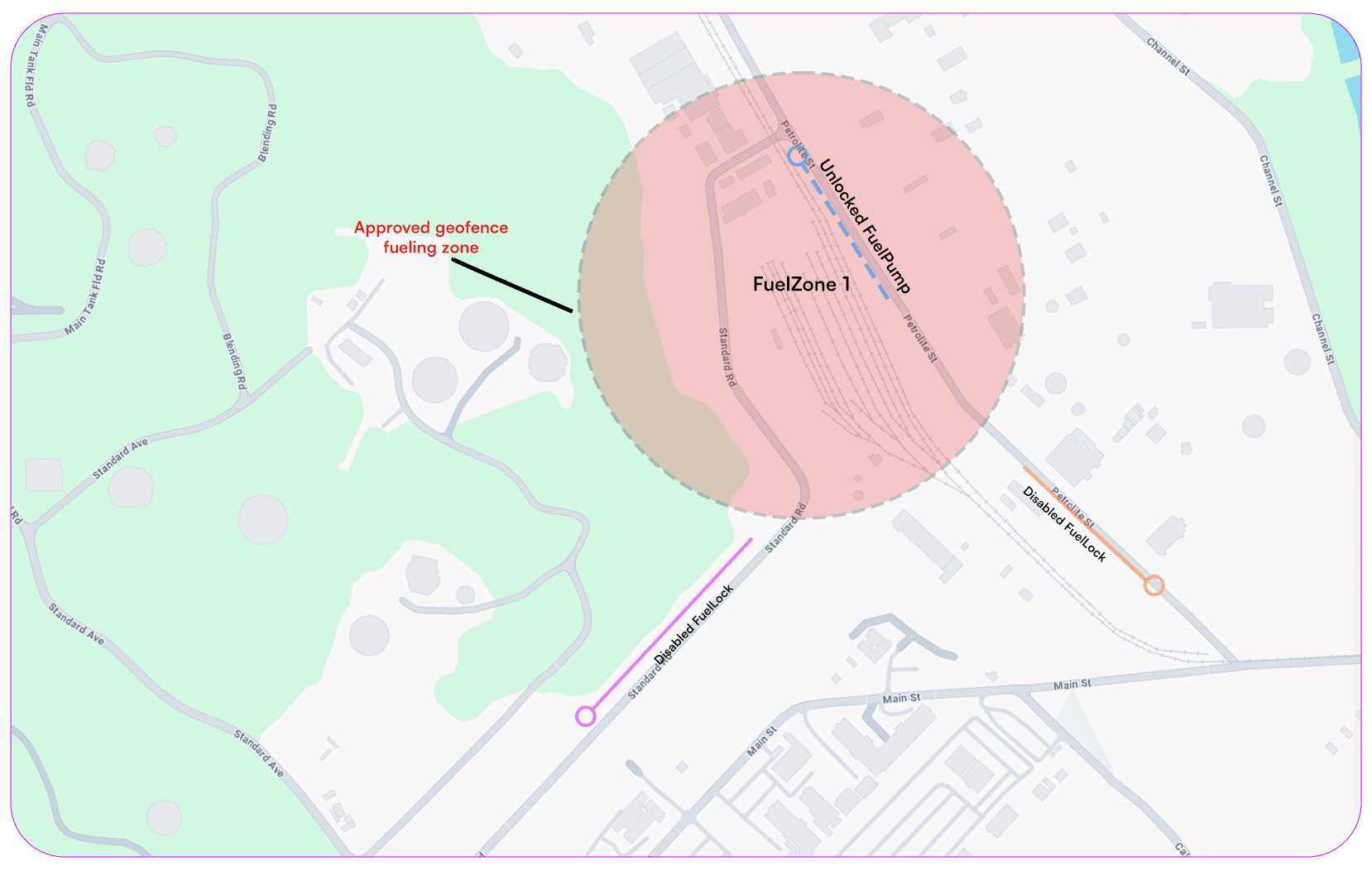
CIRCLE TOOL
Create a circular FuelZone around a yard, fuel tank, jobsite, or other approved fueling location.
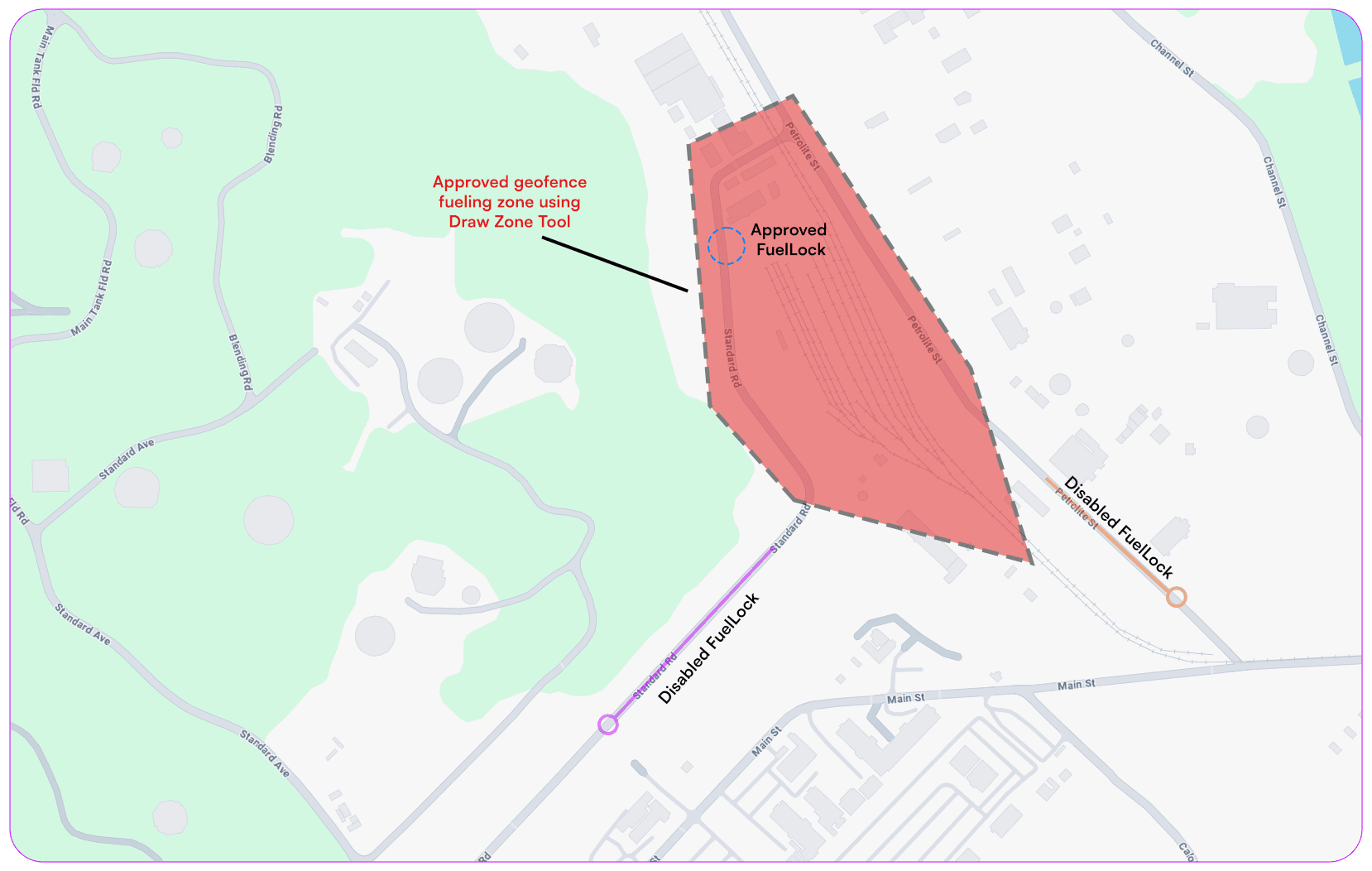
DRAW ZONE TOOL
Draw a custom boundary around irregularly shaped worksites and fueling areas that cannot be represented by a simple circle.
FUELZONES
Using the geofencing tools in the FuelWhere admin portal, fleet managers can draw circular FuelZones around locations where fuel access should be permitted. There is also an option to use a pen to draw a custom border around a FuelZone.
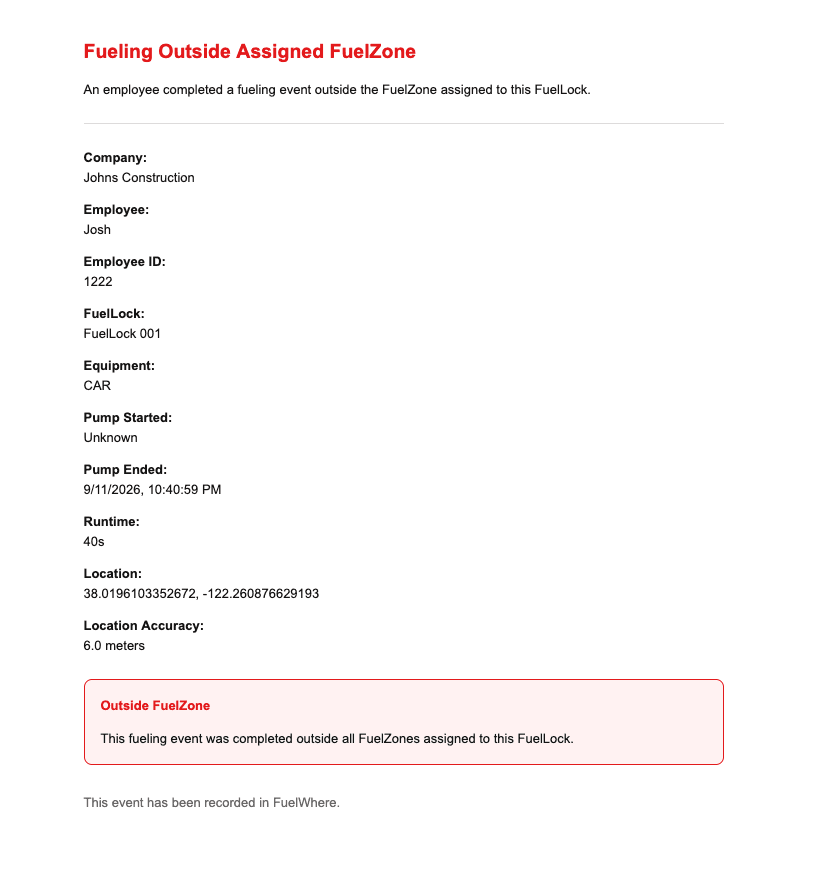
When someone attempts to connect to a FuelLock outside an authorized FuelZone, the Unlock Pump button remains disabled (if applicable). FuelWhere also sends the administrator an email containing the attempted-access location, coordinates, timestamp, and device-reported location accuracy. If admins wish to not disable fuellocks outside a fuelzone, when a fueling event is created outside a zone an alert email will be sent out to selected users about this event.
Location accuracy varies by device, surroundings, and signal conditions, but may be reported within approximately five meters when conditions allow.
FUELLOCK
FuelLock is a compact Bluetooth access controller that works with a pump’s electrical control circuit. Authorized operators use the FuelWhere app to enable pump operation.
*Designed as a retrofit, FuelLock does not measure fuel volume or require changes to tanks, fuel lines, or flow meters. Pump compatibility is confirmed before installation.*
HOW IT WORKS
FuelWhere creates a controlled workflow around every pump activation—without measuring fuel volume or modifying the fuel-delivery system.
1
The operator signs in and selects the FuelLock and truck or equipment involved.
2
FuelWhere checks the operator’s permissions and confirms the device is inside an approved FuelZone.
3
When the requirements are met, the app enables FuelLock and enters a protected session that must be ended before the operator can leave the fueling screen.
4
FuelWhere records the operator, FuelLock, equipment, location, timestamps, and pump runtime.
FEATURES
Active fueling sessions cannot be exited without ending pump access. FuelLock automatically locks after three minutes when enabled without detected pump activity, and detected power interruptions generate an administrator notification.
Associate each fuel-access event with an authenticated employee.
Record which truck or piece of equipment was selected for the event.
Keep the pump locked and notify administrators when access is attempted outside an authorized location when using the FuelWhere geofencing feature
Store event data locally when internet access is unavailable and synchronize it when connectivity returns.
Review FuelLocks, operators, equipment, locations, timestamps, and runtime through the customer portal.